
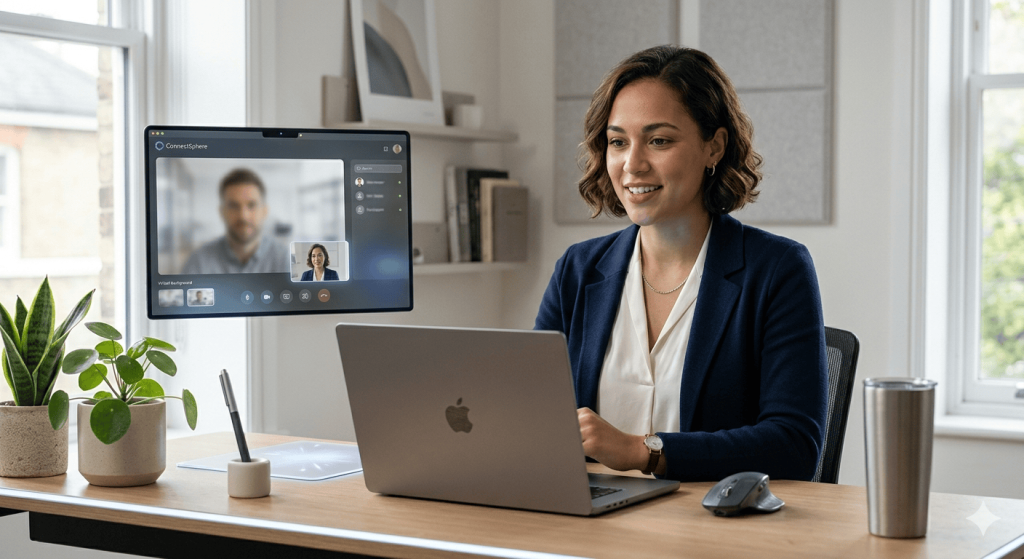
Virtual Interview Tips: How to Pass Online Job Interviews in 2026
The way companies hire has changed significantly. In 2026, virtual interviews are no longer a backup option—they are often the first and sometimes the only stage in the hiring process. Whether you’re applying for a corporate role, a remote position, or even a local job, there’s a high chance your first interaction with an employer will happen through a screen.
While online interviews may seem easier than in-person meetings, they come with their own challenges. From technical issues to awkward communication gaps, small mistakes can affect how you are perceived. The key is to treat a virtual interview with the same seriousness as a face-to-face meeting—while also adapting to the digital environment.
This guide focuses on practical, real-world strategies to help you succeed in online interviews. From setting up your space to delivering confident answers, you’ll learn exactly how to stand out in a virtual hiring process.
The Reality of Virtual Interviews in 2026
Online interviews have evolved beyond simple video calls. Many employers now use structured platforms, recorded responses, and panel interviews conducted remotely. This means candidates must be comfortable speaking clearly, maintaining engagement, and handling technology without distraction.
Unlike traditional interviews, virtual meetings limit body language and natural interaction. This makes clarity, tone, and preparation even more important. Interviewers often assess how well you adapt to remote communication—especially for roles that involve hybrid or remote work.
Understanding this shift is the first step towards improving your performance.
Before the Interview: Set Yourself Up for Success
Create a Professional Environment
Your surroundings play a major role in how you are perceived. Choose a quiet, well-lit space where interruptions are unlikely. A plain background works best, as it keeps the focus on you rather than your environment.
Natural light is ideal, but if that is not available, ensure your face is clearly visible with balanced lighting. Avoid sitting with a window directly behind you, as it can create shadows.
Check Your Technology in Advance
Technical issues are one of the most common reasons candidates lose confidence during online interviews. Test your internet connection, camera, microphone, and any software required for the interview.
Log in early to avoid last-minute stress. If the platform is unfamiliar, spend a few minutes exploring its features so you feel comfortable during the call.
Dress as You Would for an In-Person Interview
Even though you are at home, your appearance still matters. Dressing professionally helps you create a strong first impression and also boosts your confidence.
Choose simple, solid colours that look good on camera. Avoid overly bright patterns or distracting accessories. Your goal is to appear polished and professional without drawing attention away from your answers.
During the Interview: How to Stand Out on Screen
Look at the Camera, Not the Screen
One of the biggest mistakes in virtual interviews is looking at your own image or the interviewer’s face instead of the camera. Maintaining eye contact through the camera creates a stronger connection and shows confidence.
It may feel unnatural at first, but with a little practice, it becomes easier.
Speak Clearly and Pause Naturally
Online communication often includes slight delays. Speaking too quickly can make it difficult for interviewers to follow your answers.
Focus on speaking clearly, at a steady pace, and pause briefly after finishing your points. This allows the interviewer to respond without interruption and keeps the conversation smooth.
Use Structured Answers
Virtual interviews leave less room for informal conversation, which makes structured answers even more important. Preparing responses to common interview questions helps you stay focused and avoid rambling.
Using a simple structure—such as explaining the situation, your action, and the result—ensures your answers remain clear and impactful.
Show Engagement Through Body Language
Even though you are on camera, your body language still matters. Sit upright, maintain a relaxed posture, and avoid fidgeting.
Nodding occasionally and smiling naturally show that you are engaged in the conversation. Small non-verbal cues can make a big difference in how you are perceived.
Handling Difficult Moments in a Virtual Interview
If There Is a Technical Issue
Technical problems can happen, even with preparation. If your connection drops or audio becomes unclear, stay calm and address the issue professionally.
A simple response such as, “I apologise, it seems there was a connection issue—could you please repeat the question?” shows composure and professionalism.
If You Don’t Understand a Question
It is perfectly acceptable to ask for clarification. Instead of guessing, politely request the interviewer to repeat or explain the question.
This shows that you are attentive and focused on providing a thoughtful answer rather than rushing.
If You Feel Nervous
Virtual interviews can feel awkward, especially when you are not physically present with the interviewer. Taking a deep breath and focusing on your preparation can help you regain confidence.
Remember, the interviewer understands that candidates may feel nervous. What matters most is how clearly and professionally you communicate your answers.
After the Interview: What You Should Do Next
Send a Follow-Up Message
After the interview, sending a polite follow-up email can leave a positive impression. Thank the interviewer for their time and briefly express your continued interest in the role.
This small step demonstrates professionalism and keeps you memorable among other candidates.
Reflect on Your Performance
Take a few minutes to review how the interview went. Think about what you did well and where you could improve.
Practising regularly or seeking feedback through Interview Coaching can help you refine your approach and perform better in future interviews.
Keep Improving Your Skills
Virtual interviews are becoming a standard part of the hiring process. Continuously improving your communication, presentation, and technical skills will help you stay competitive.
For candidates who want detailed feedback and personalised strategies, Professional Interview Coaching can provide targeted guidance to improve performance in online interviews.
Common Virtual Interview Mistakes to Avoid
Many candidates make small errors that can affect their overall impression. Being aware of these mistakes can help you avoid them.
One common issue is poor lighting or an unprofessional background, which can distract the interviewer. Another mistake is multitasking or appearing distracted during the interview.
Interrupting the interviewer due to delays is also common. Taking a brief pause before responding helps prevent this.
Finally, failing to prepare for questions can make your answers seem unclear or unstructured. Preparation remains the most important factor in any interview.
Final Thoughts
Virtual interviews are not just a temporary trend—they are a permanent part of modern hiring. Success in this format requires a combination of preparation, technical readiness, and strong communication skills.
By setting up a professional environment, practising structured answers, and maintaining confidence on camera, you can significantly improve your chances of success.
Treat every virtual interview as a real opportunity to demonstrate your value. With the right approach, you can turn an online conversation into a job offer.
FAQs
1. Are virtual interviews easier than in-person interviews?
Virtual interviews may feel more comfortable because you are in a familiar environment, but they come with different challenges. Communication, eye contact, and technical setup require extra attention to ensure a smooth experience.
2. What should I wear for an online interview?
You should dress professionally, just as you would for an in-person interview. Neutral colours and simple outfits work best on camera and help create a polished appearance.
3. How do I make eye contact in a virtual interview?
To create the effect of eye contact, look directly at the camera instead of the screen. This helps you appear more confident and engaged during the conversation.
4. What if my internet connection fails during the interview?
If your connection fails, stay calm and reconnect as quickly as possible. Apologise briefly and continue the conversation professionally once the issue is resolved.
5. How can I improve my virtual interview performance?
Practising your answers, testing your setup, and reviewing your performance after each interview can help you improve. Consistent preparation builds confidence and clarity over time.
6. How early should I join a virtual interview?
It’s best to join at least 5–10 minutes before the scheduled time. This gives you enough buffer to fix any last-minute technical issues and settle yourself before the interview begins. Being early also shows punctuality and professionalism.
7. Can I use notes during a virtual interview?
Yes, you can keep short notes nearby, but avoid reading directly from them. Use bullet points as prompts to stay on track while maintaining natural eye contact with the camera. Over-reliance on notes can make your answers sound rehearsed or disconnected.
8. Which platform is commonly used for virtual interviews?
Most employers use platforms like Zoom, Microsoft Teams, or Google Meet for virtual interviews. It’s important to check the platform in advance and ensure you are familiar with its basic features to avoid confusion during the interview.